Skip to content
Mobile App

Backlost

Your game backlog, finally organized.

Role
Product Design & Development
Year
2025
Status
In development

— About the project

Your game backlog, finally organized.

Backlost came from a real frustration: hundreds of games spread across different platforms with no clean way to manage them. The app brings PSN, Xbox, and Steam together in one place, pulling data from each account automatically.

The interface was designed to stay out of the way. Logging progress, marking games as done, or checking trophies across all platforms should feel instant. Every design decision was about reducing friction.

The main technical challenge was building stable integrations across three very different APIs, each with its own rate limits and data structures, using Redis for caching to keep everything snappy even with large libraries.

— The story

How I built each part

Chapter 01Login · Sign-up

Signing in without friction

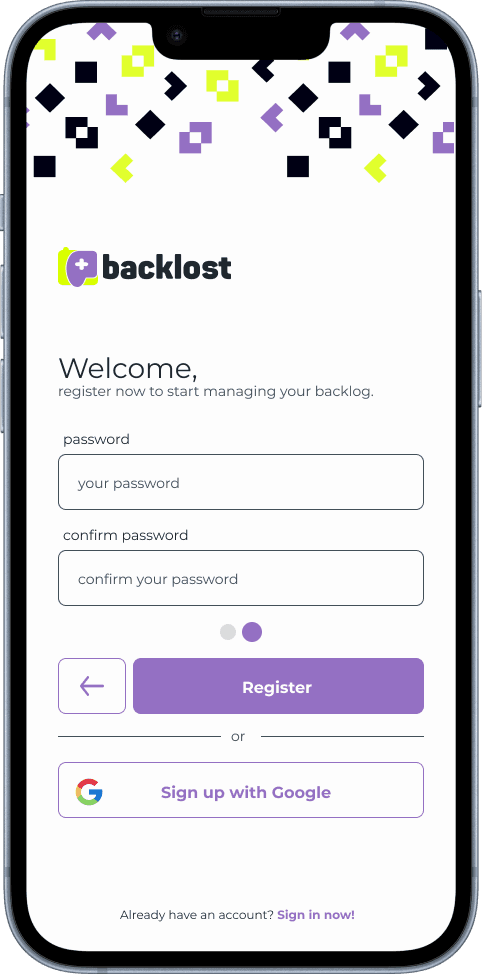
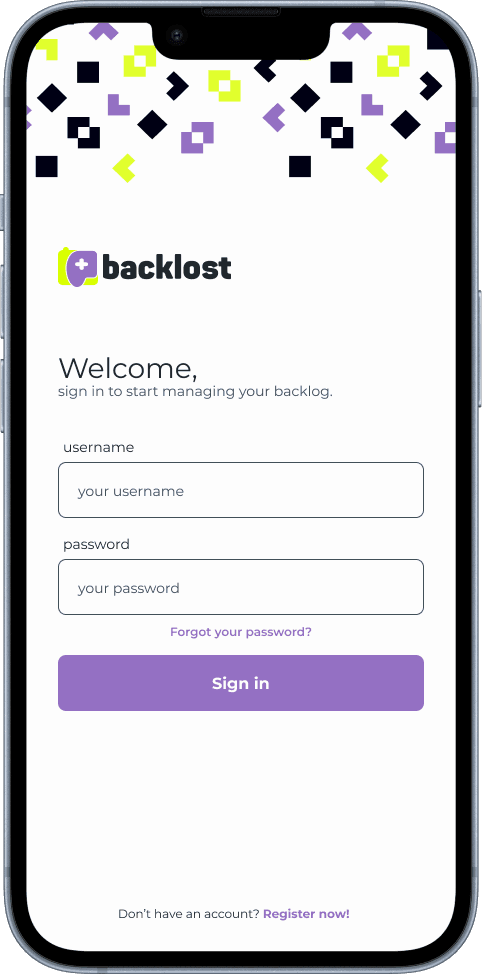
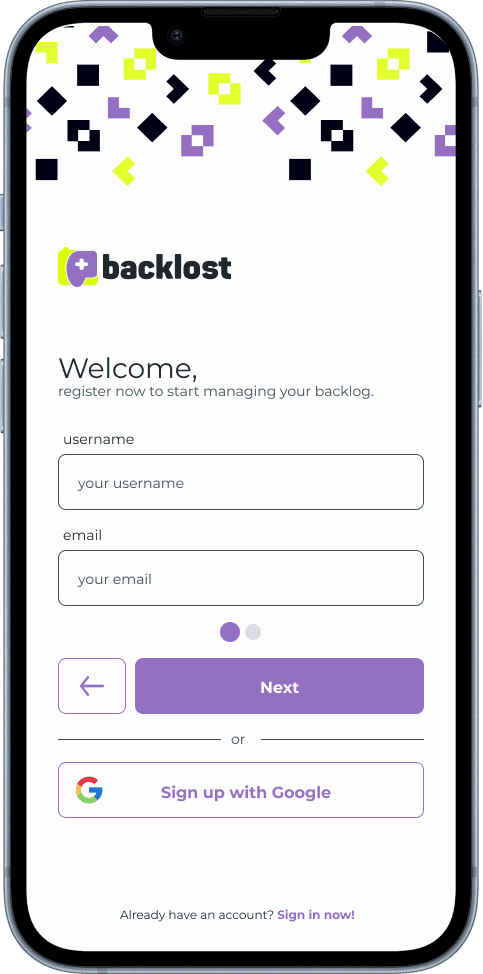
Login asks only for a username and password. Sign-up is split into two short steps, username and email first, then password and confirmation, with a Google sign-up option on either one.
Backlost — Login · Sign-up (1/3)
Backlost — Login · Sign-up (2/3)
Backlost — Login · Sign-up (3/3)
  • Two-step sign-up
  • Sign up with Google

Chapter 02Password recovery

Recovering a password

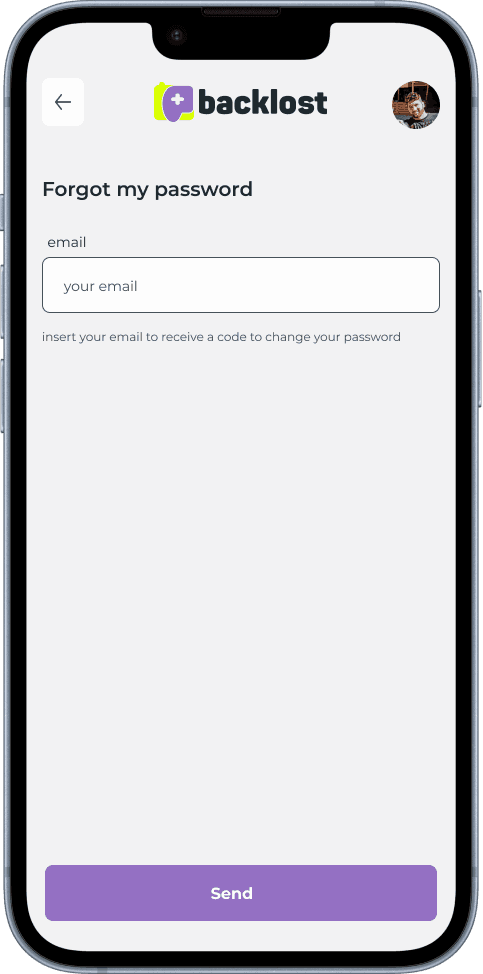
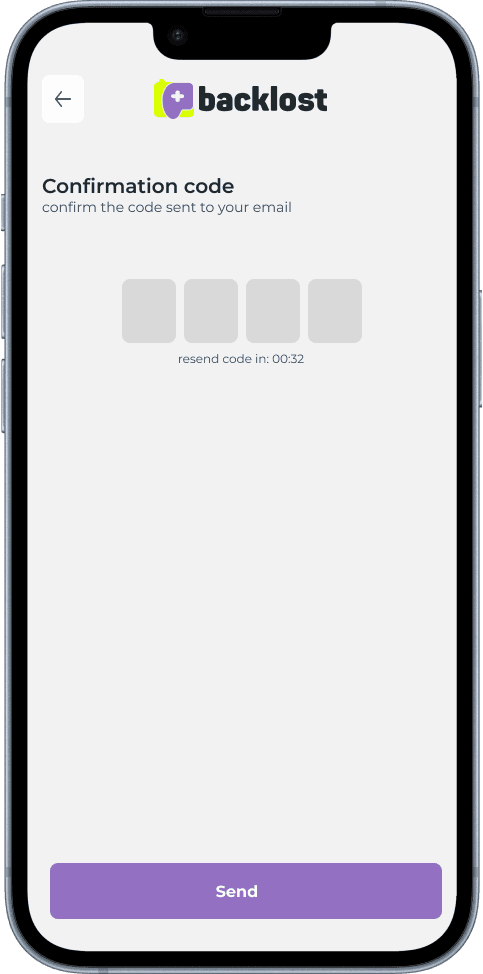
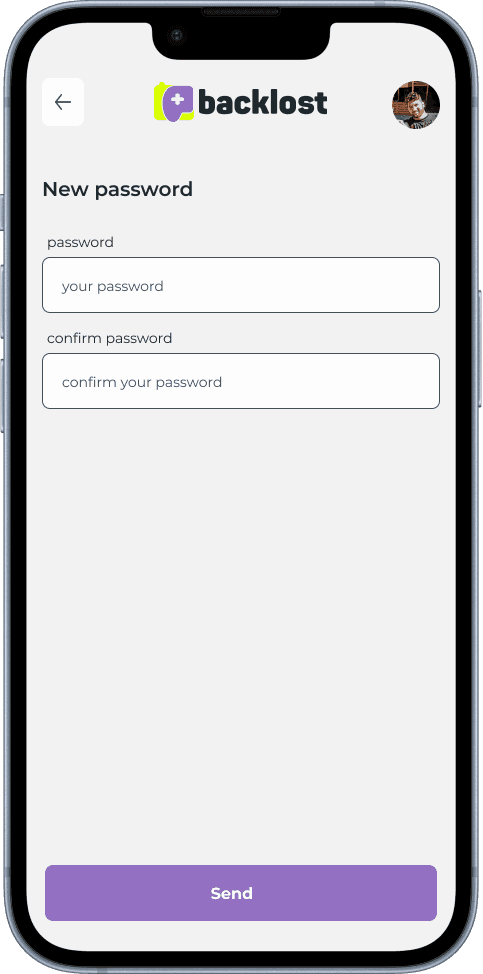
If you forget your password, you enter your email, get a four-digit code and set a new password. The code can be resent after a countdown.

Backlost — Password recovery (1/3)
Backlost — Password recovery (2/3)
Backlost — Password recovery (3/3)
  • 4-digit code
  • Resend with countdown

Chapter 03Home

A Home that grows with you

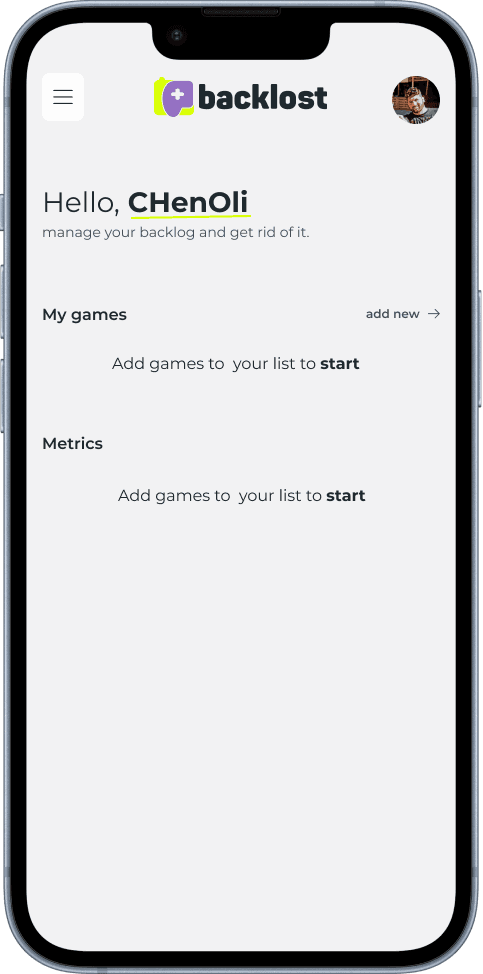
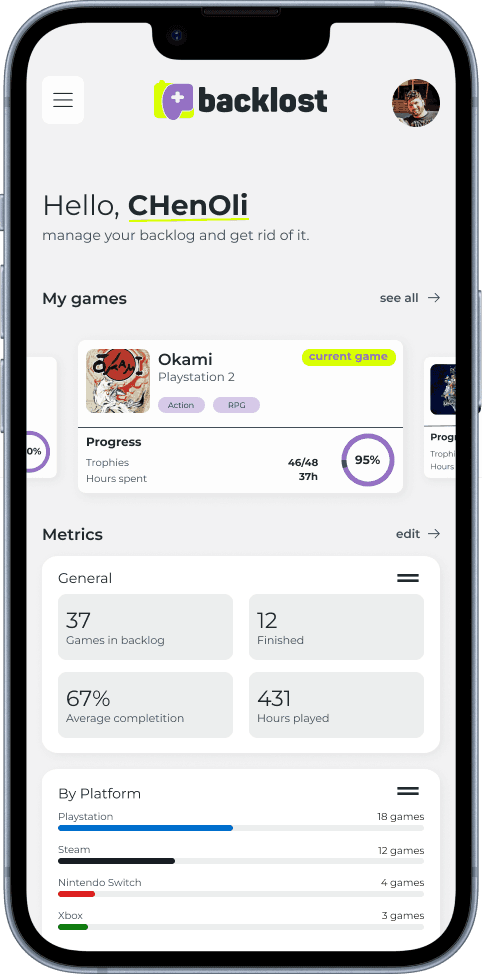
The first time, the Home just invites you to add games. Once the backlog is set up, it shows the current game in focus, trophy progress and metrics: games queued, finished, average completion, hours played and games per platform.

Backlost — Home (1/2)
Backlost — Home (2/2)
  • Empty state with a call to action
  • Metrics per platform

Chapter 04Search · Game

Building the backlog

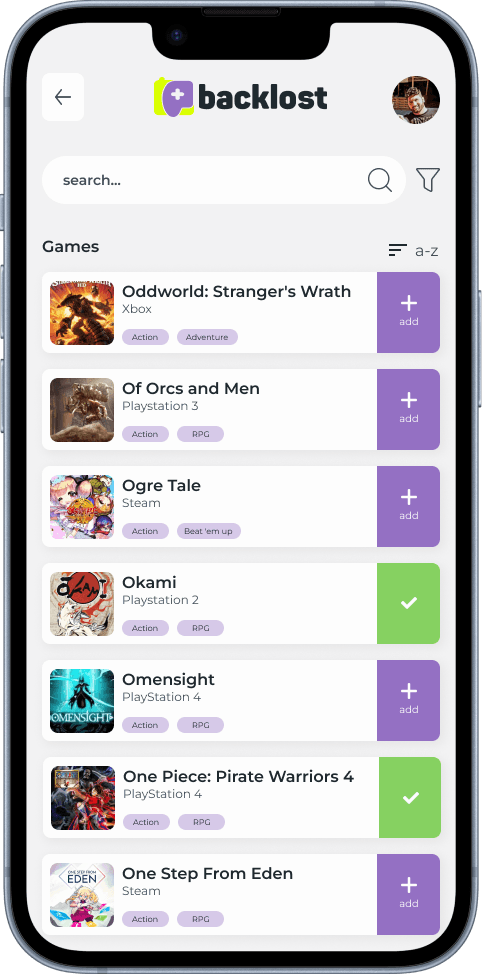
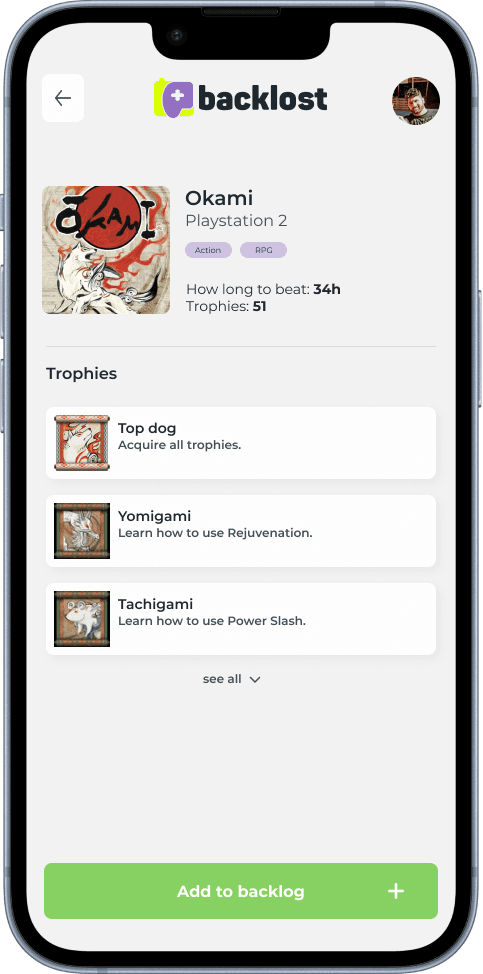
Search lists games from every platform, with filters and sorting. Each game opens a page with its estimated time to beat and trophy list, and joins the backlog with one tap.

Backlost — Search · Game (1/2)
Backlost — Search · Game (2/2)
  • Add straight from search
  • Estimated time to beat

Chapter 05My games · Edit

To play, playing, finished

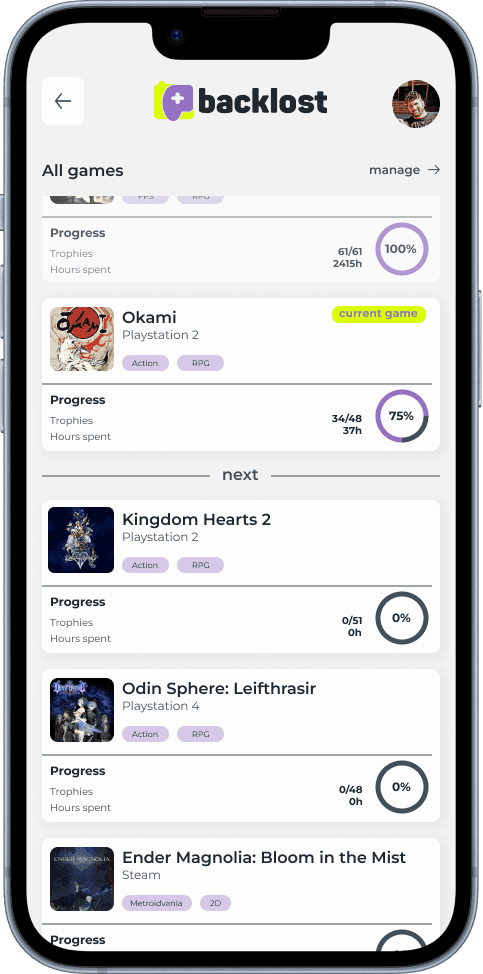
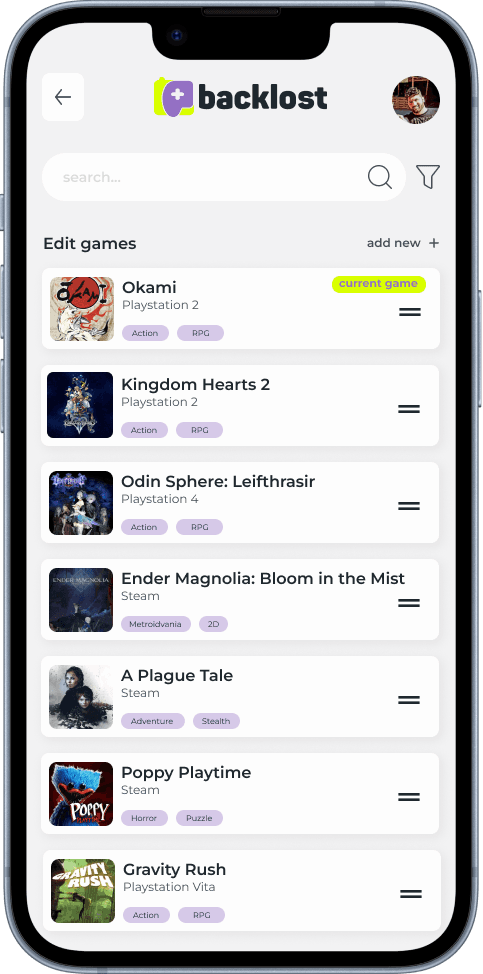
The list separates the current game from the next ones in the queue, each with trophy progress and hours played. In edit mode, games are reordered by dragging, and that order decides what comes next.

Backlost — My games · Edit (1/2)
Backlost — My games · Edit (2/2)
  • Priority queue
  • Drag to reorder

Chapter 06Game · Trophies

Trophies from every platform

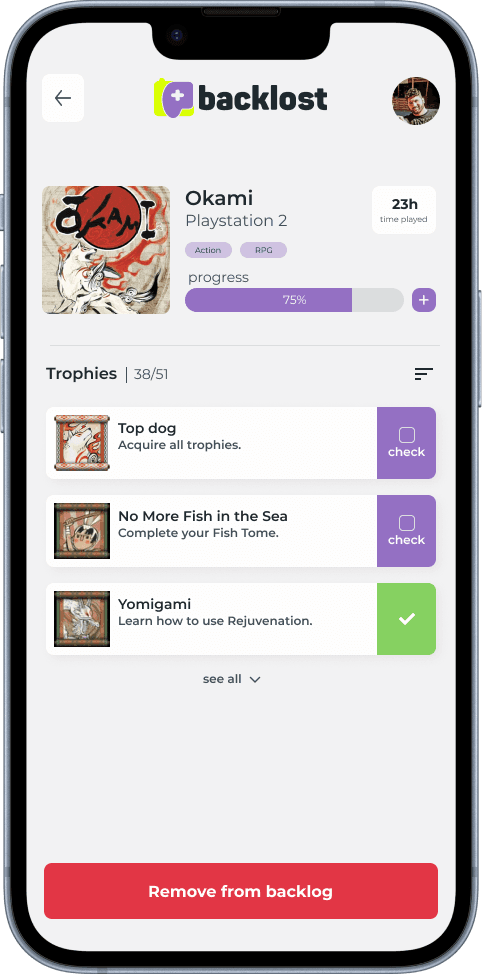
Each game in the backlog shows progress, time played and its trophy list. Achievements from PSN, Xbox and Steam share one format, and you can check a trophy by hand when the platform doesn't report it.

Backlost — Game · Trophies
  • Per-trophy progress
  • Manual check

Chapter 07Profile · Connections

Three accounts, one profile

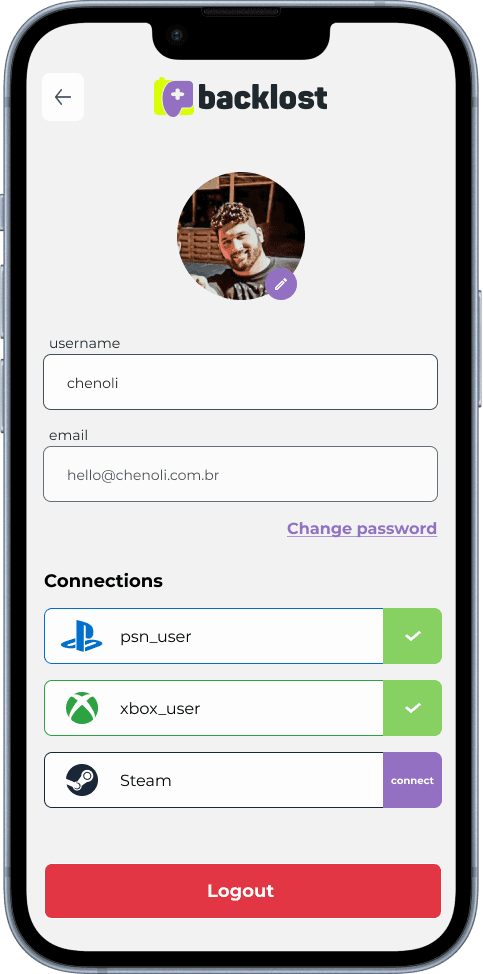
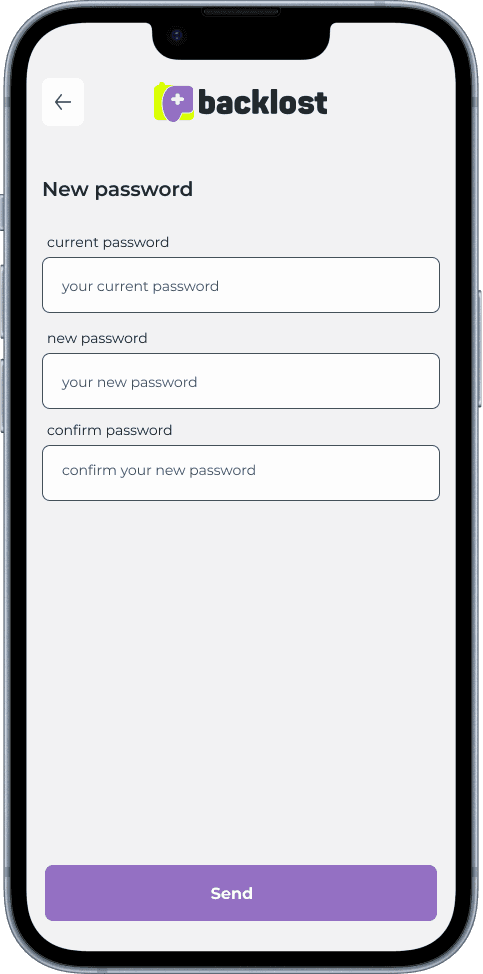
In the profile you connect PSN, Xbox Live and Steam once and progress syncs on its own from then on. The challenge was integrating three distinct APIs, each with its own rate limits and data formats. Changing the password lives in the same place.

Backlost — Profile · Connections (1/2)
Backlost — Profile · Connections (2/2)
  • Automatic sync
  • Per-platform rate limits

— Technologies

Mobile

  • React Native
  • TypeScript
  • Expo
  • NativeWind
  • Zustand
  • TanStack Query
  • React Hook Form
  • Zod

Backend

  • NestJS
  • TypeScript
  • PostgreSQL
  • Redis
  • Prisma

Integrations

  • PSN API
  • Xbox API
  • Steam API
  • OAuth 2.0
  • JWT